Multi-Year Agreement Page
Multi-Year Agreements (MYA) allow you to manage long-term client engagements across multiple years by grouping related projects, proposals, and invoices into a single agreement.
This is commonly used for:
- Recurring annual services
- Long-term contracts
- Structured multi-year project planning
📋 Multi-Year Agreements List View

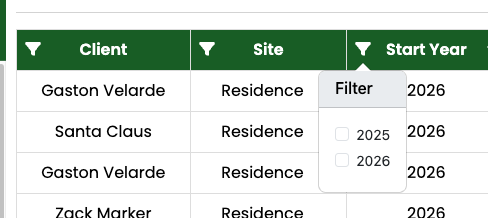
Features:
- Filter agreements by year using the filter dropdown
- Sort and scan agreements quickly
- View agreement status (e.g., Active)
➕ Creating a New Multi-Year Agreement
- Click + New MYA. A modal will pop up so user can supply the required value in creating MYA (Multi-year Agreement) group
- Fill in the required fields:
- Click Save.
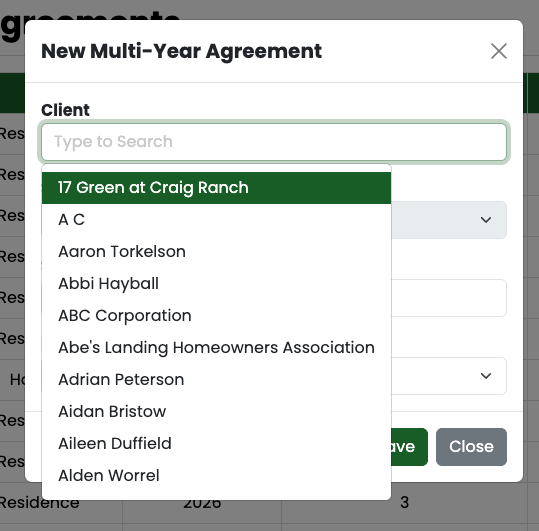
- Client (searchable dropdown)
- Site
- Start Year
- Length (Years)
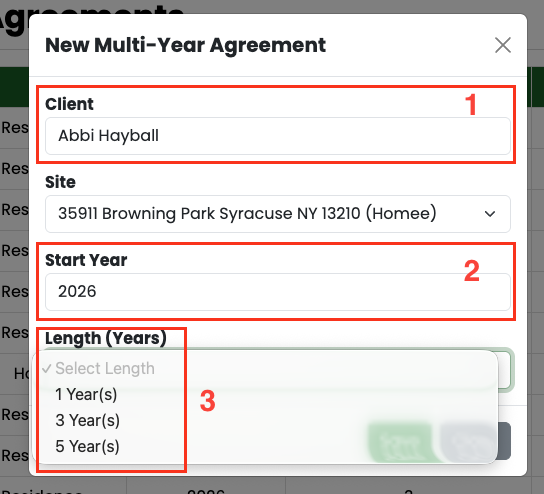
✅ The system will automatically calculate the Final Year
👁️ Agreement Details
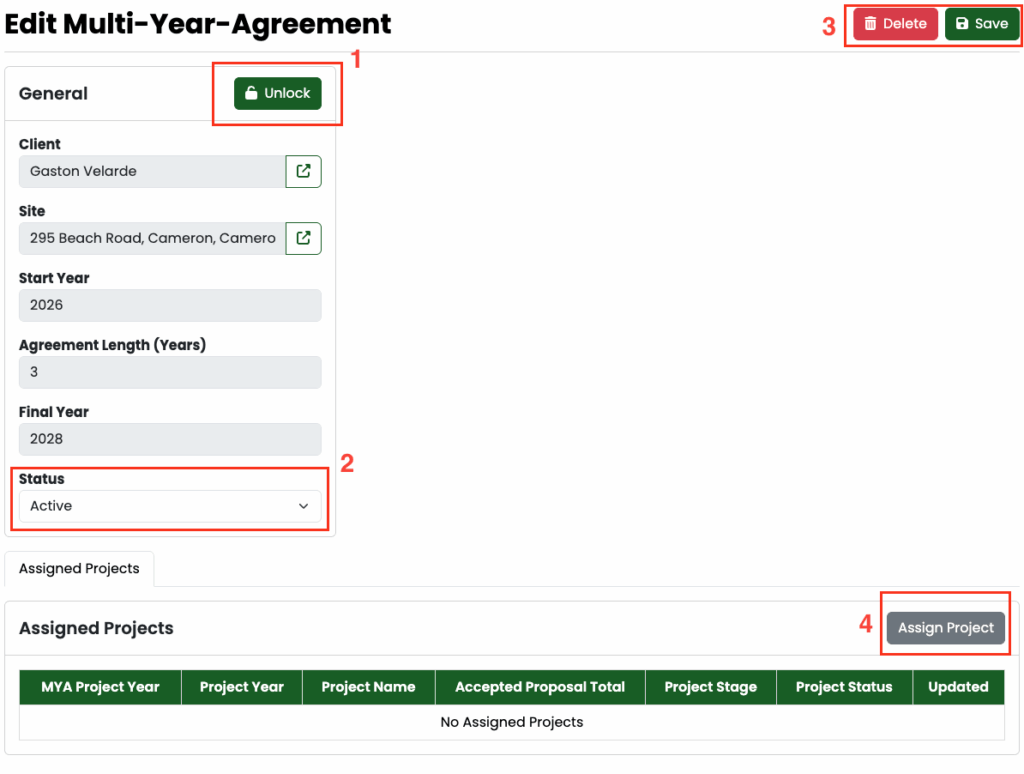
- Unlock the Agreement
- Click Unlock to enable editing
- Fields are locked by default to prevent accidental changes
- Update Status
- Modify the agreement status (e.g., Active)
- Save or Delete
- Click Save to apply changes
- Click Delete to remove the agreement
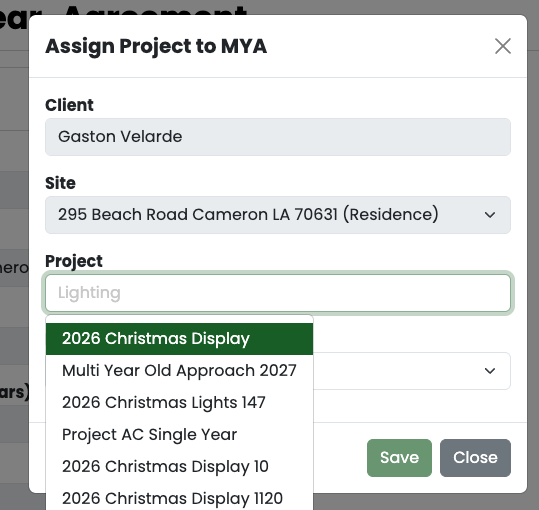
📁 Assigning a Project to an Agreement
- Click Assign Project
- Select:
- Project
- Proposal (required)
⚠️ Important:
If the project does not have a Multi-Year compatible proposal, you will see an error:
“No MULTI Agreement Type Proposal in this Project”
🔄 Generating the Next Year’s Project
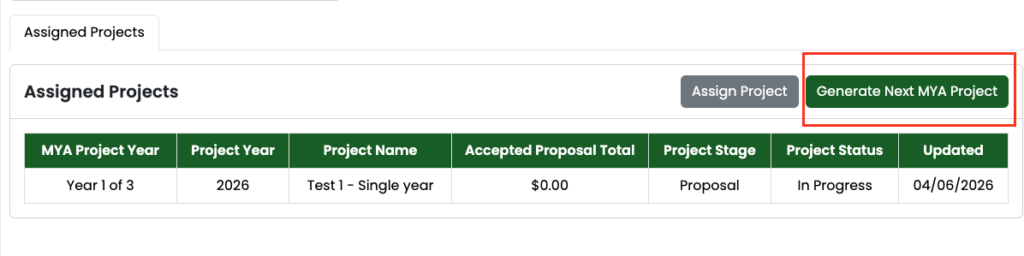
Use Generate Next MYA Project to automatically create the next year’s project.
- Link it under Assigned Projects
- Create a new project for the next year
- Maintain continuity within the agreement
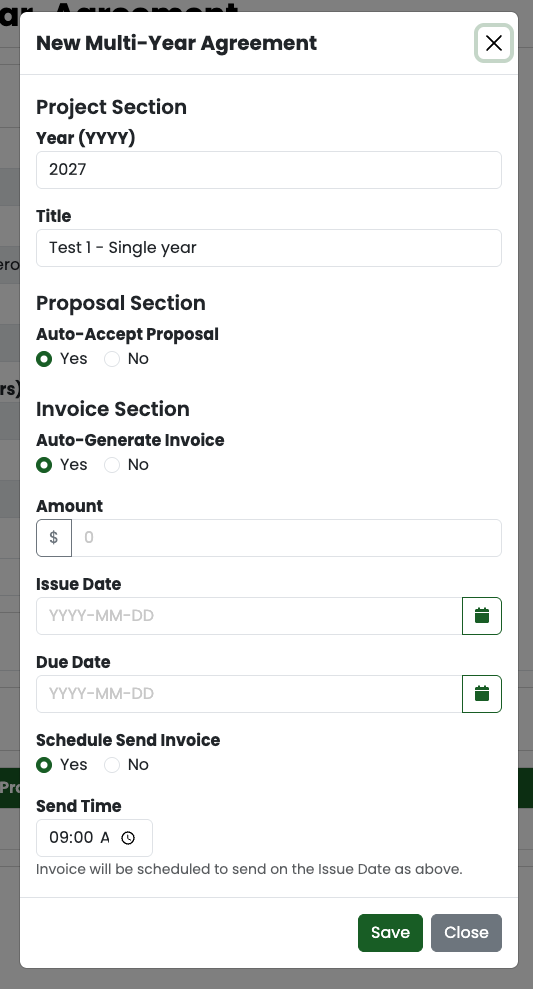
When generating or configuring a project:
- Project Section
- Year
- Title
- Proposal Settings
- Auto-Accept Proposal (Yes/No)
- Invoice Settings
- Auto-Generate Invoice
- Amount
- Issue Date
- Due Date
- Schedule Send Invoice
- Send Time
⚠️ Important Notes
- Agreements must be unlocked before editing
- Projects require a valid proposal to be assigned
- Final Year is automatically calculated
- Each generated project represents one year in the agreement
❓ FAQs
Q: Why can’t I assign a project?
A: The project likely does not have a valid Multi-Year proposal.
Q: Can I edit the agreement after creation?
A: Yes, but you must click Unlock first.
Q: What happens when I click “Generate Next MYA Project”?
A: A new project for the next year is created and linked to the agreement.
Q: Can I skip years?
A: No — projects are sequential based on agreement length.
0 Comments